Why Choose Dilo
Four Ways to Translate, One App
Dilo covers voice, text, camera and face-to-face conversation on iPhone and Android — and keeps every one of them working after you download a language pack.
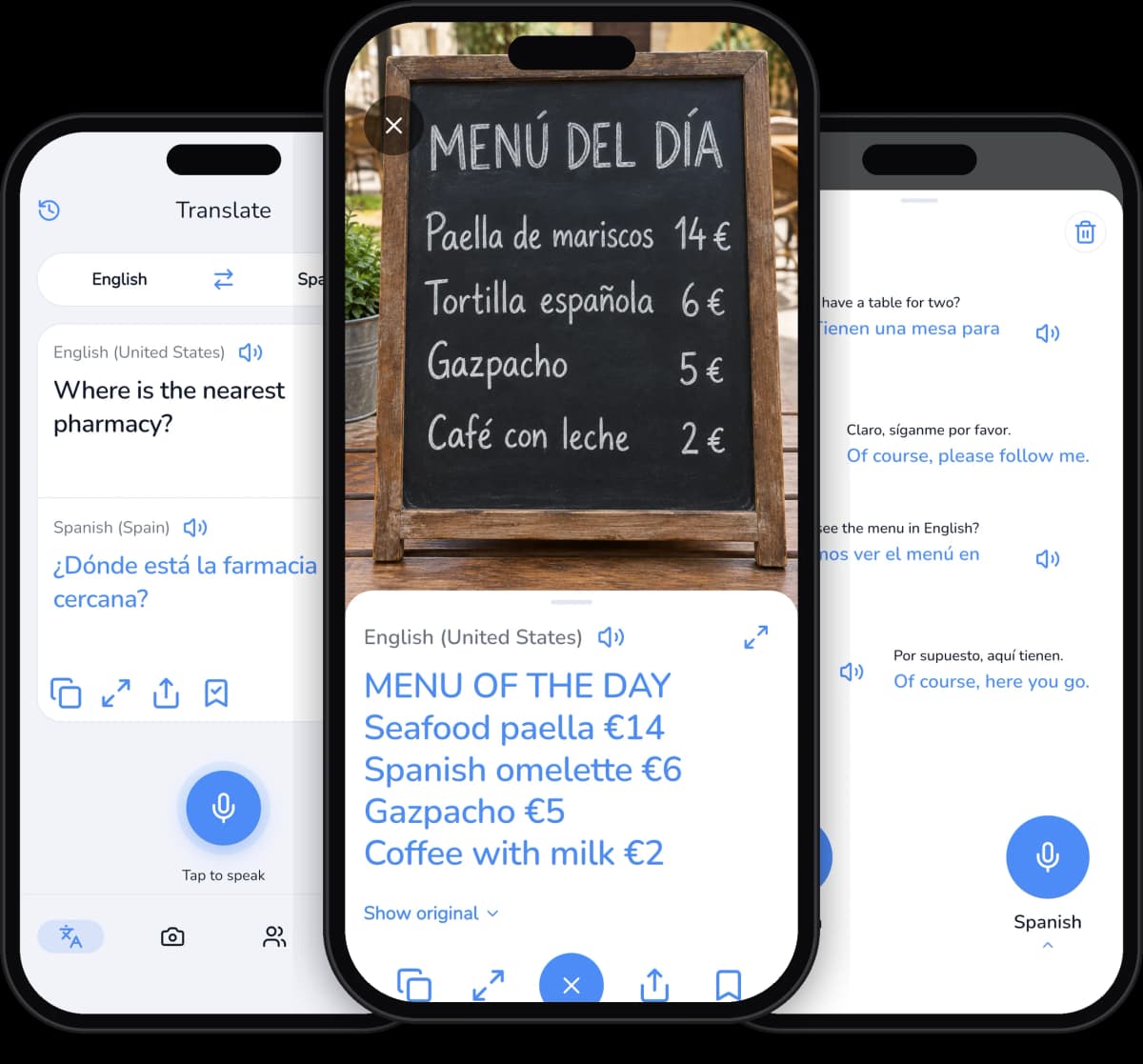
Live Voice Translation
Tap the microphone in Dilo, say a sentence, and the translation appears on screen and is read aloud — no typing on a foreign keyboard.
Instant Text Translation
Type in Dilo and the translated sentence updates as you write, so you can correct a word and see the result change immediately.
Camera Text Mode
Point the phone at a menu, a street sign or a product label. Dilo reads the printed text on the device and shows the translation in place.
Camera Object Mode
Aim the camera at an object and Dilo names it in the target language, then offers alternative words for the same thing.
Conversation Mode
Two microphones and two languages on one screen. Dilo translates and speaks each turn, so two people can talk face to face without swapping the phone.
Offline Language Packs
Download any of 59 languages, roughly 30 MB each, before you fly. Dilo keeps translating voice, text and camera with no internet connection.
Auto-Pronunciation
Dilo reads every finished translation aloud, with an adjustable voice speed and a choice of a female or male voice.
History Stays on Your Device
Every translation is saved on the phone only, searchable and pinnable as a favorite. Dilo never uploads your history, your photos or your voice.
How It Works
Three Steps to Your First Translation
No account, no setup wizard. Open Dilo, pick two languages, and the first translation is on screen and spoken aloud within seconds.
Pick Your Two Languages
Choose a source and a target language from the 60+ Dilo supports, and swap them with a single tap when the conversation turns around.
Speak, Type or Point the Camera
Use the microphone, the keyboard, the camera in Text or Object mode, or Conversation mode with one microphone for each speaker.
Read It and Hear It
The translation appears on screen and Dilo speaks it aloud, then saves it to your on-device history so you can search for it later.
FAQ
Questions About Dilo, Answered
Languages, offline packs, privacy and PRO — the things people ask before they install.